
Shell-first.
Remote workspace on iPad.

Stay in the flow. Even remotely.

Built for iPad

Try NeoShell
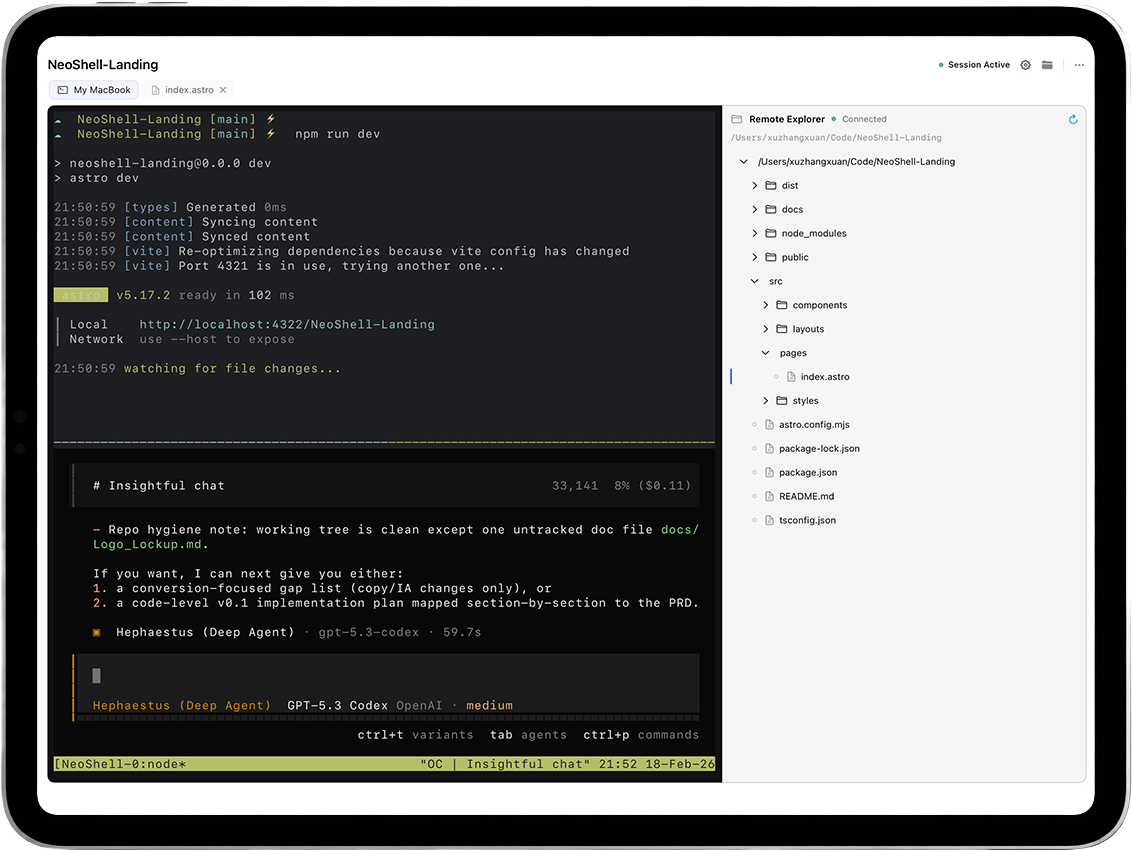
NeoShell app interface preview

Philosophy

Built around the shell.

Real PTY. Built on libghostty.

Real PTY.

Backed by libghostty.

True PTY semantics.

No emulation layer.
Real SSH Engine

Native libssh2 transport.

OpenSSL-backed.

Encrypted key passphrase flow.

Persistent Sessions

Attach-aware reconnect.

tmux / zellij continuity.

Workspace restores on return.

neo@ipad:~$ ls -la
drwxr-xr-x workspace
-rw-r--r-- notes.md

Terminal Focus

Terminal is the workspace.

Files are tools.

Direct input model.

No fake UI.

Host dev-cluster
AuthMethod publickey
IdentityFile ~/.ssh/id_ed25519
Passphrase encrypted
Storage iOS_Keychain

Auth & Safety

Designed for serious SSH workflows.

  • Password and SSH key auth
  • Encrypted private key passphrase flow
  • Keychain-backed credential storage

No hidden credential hacks.

Start your remote workspace

Get NeoShell

Workspace

Session continuity without drama.

Leave. Come back. Everything stays.

  • tmux
  • zellij
  • tab state
  • host + project memory

You don’t start over.

Explorer & Preview

Remote files. No local illusion.

No sync. No mirroring. No lies.

  • SFTP explorer tree
  • Preview when useful
  • Edit in shell
  • Disconnect-aware recovery

Preview is intentional.

Editing stays in the shell.

ESCTABCTRLALTHOMEENDPGUPPGDN

Input Stack (iPad specific)

Keyboard built for control.

ESC. TAB. CTRL. ALT.
Exactly where they belong.

  • Arrow / Home / End / PgUp / PgDn
  • Hardware mapping
  • IME-safe input

No input proxy tricks.

Privacy

Local-first by default.

  • No account
  • No analytics SDK
  • No telemetry
  • No hidden cloud sync

SSH traffic goes only to your server.