
NeoShell Note
Resumable Mobile SSH with neosh
How do you actually enable neosh in NeoShell and deploy neoshd on the server?
Search intent: resumable mobile ssh with neosh
This is the practical deployment note for enabling neosh in NeoShell, installing neoshd on the host, and validating resumable sessions on unstable networks.
Short answer
Enable neosh in the host profile, install neoshd on the remote machine, and verify that SSH bootstrap plus returned QUIC endpoint are both reachable.
Once the host is ready, NeoShell can attempt resume before creating a fresh session on reconnect.
Why this problem happens
A resumable transport needs support on both sides. The client must know how to resume, and the server must expose a runtime that can keep the session recoverable after the current connection is gone.
That is why a working SSH login is necessary but not sufficient for neosh mode.
Recommended setup
Use the upstream install path first, verify the binary, then run mobile-specific network tests.
This note complements the concept page, What neosh Is and Why NeoShell Uses It, by focusing on the deployment flow.
curl -fsSL https://raw.githubusercontent.com/plucury/neosh/main/scripts/install_neoshd.sh | bashcommand -v neoshd
neoshd version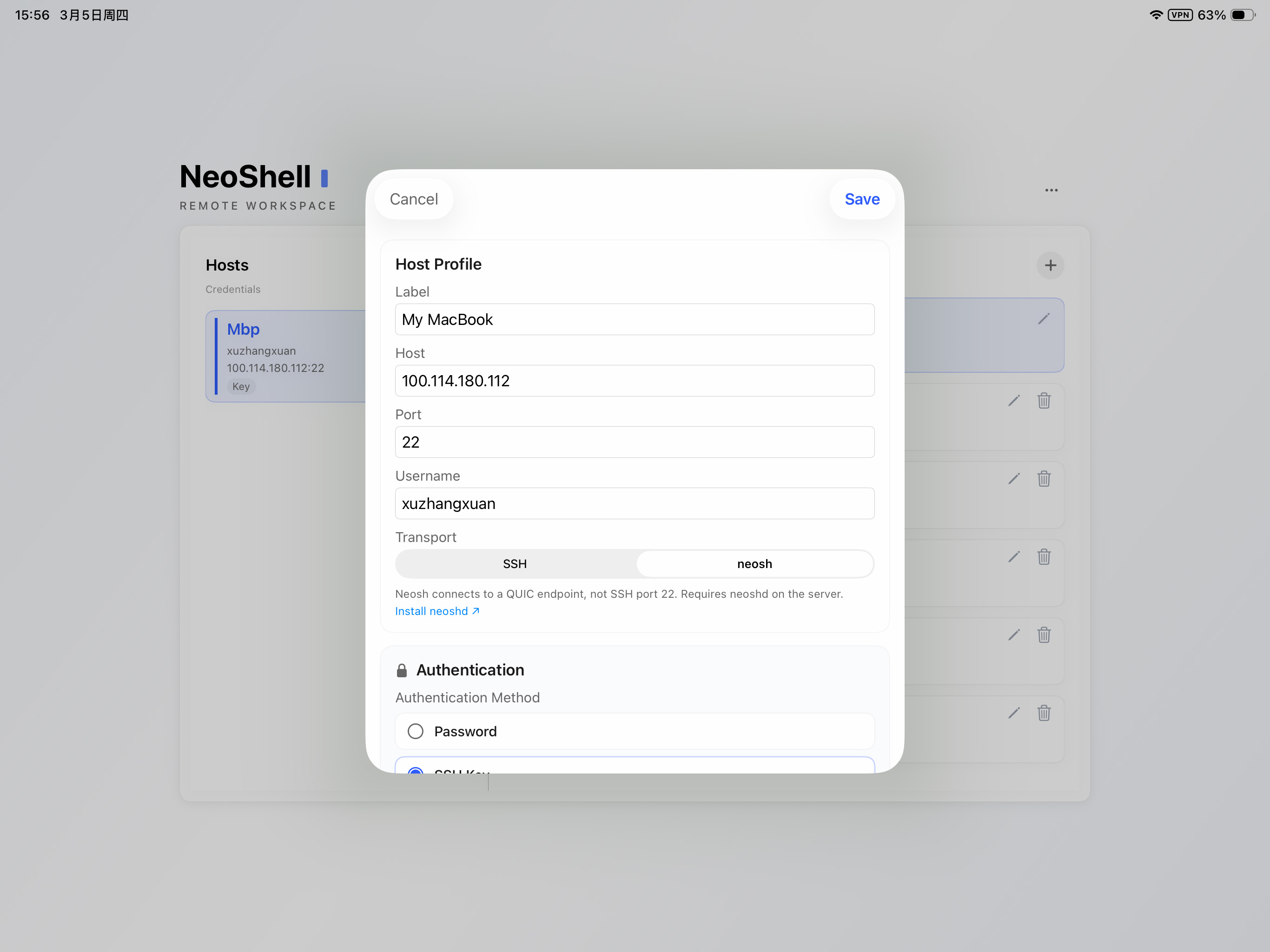
Tradeoffs and limits
You still need SSH bootstrap reachability, and the returned QUIC endpoint must be reachable from the client network. Firewall policy matters here.
If you need the workflow immediately and deployment is still incomplete, standard SSH remains the fallback.
FAQ
Do I need to install anything on iPad?
No extra runtime is required on iPad for NeoShell. The server side must have neoshd available for bootstrap.
What usually fails first in setup?
Most setup failures come from neoshd not being on PATH, blocked UDP reachability, or endpoint and auth issues during bootstrap.
Can I fall back to standard SSH?
Yes. NeoShell can still use standard SSH if you need an immediate fallback while fixing neosh deployment.