
iPad developers
You want a real terminal workflow on iPad, not a fallback command launcher.
NeoShell gives developers a real PTY terminal on iPad, plus persistent workflows for unstable mobile networks.
Powered by neosh - QUIC-based session transport.
Built for iPad
Try NeoShell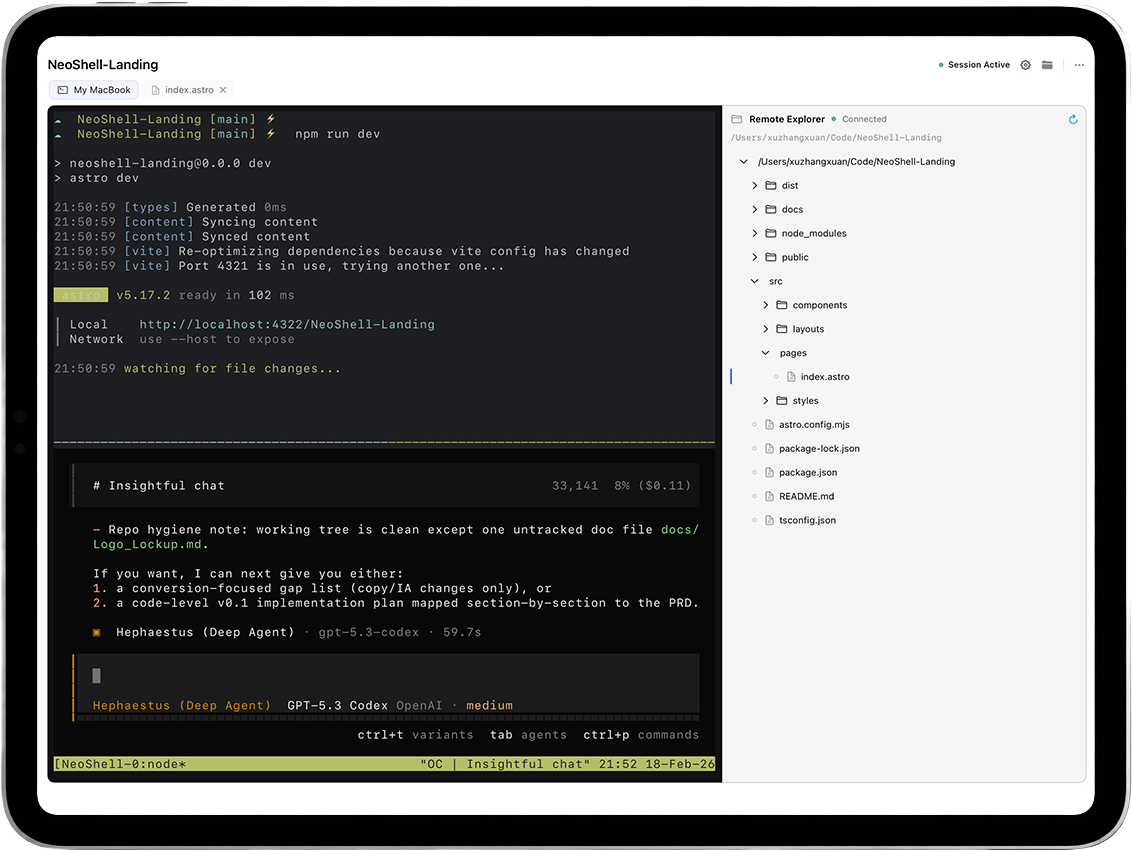
Who NeoShell is for
NeoShell is for developers and operators who need more than host access. It is for workflows where the shell itself, the PTY behavior, and the session continuity all matter.
You want a real terminal workflow on iPad, not a fallback command launcher.
You switch networks often, move between Wi-Fi and hotspot, and still need the same remote context.
You review builds, inspect logs, and steer remote systems where losing one shell means losing the loop.
Problems NeoShell solves
The hard part is not just logging in. The hard part is preserving the exact working shell when the network path changes and interactive tools still expect a real terminal.
Reconnecting to the host does not guarantee the same working shell comes back.
Interactive CLI tools break down quickly when the client is not a real terminal.
Sleep, wake, roaming, and short dropouts make continuity the default requirement.
Philosophy
Real PTY. Built on libghostty.
Backed by libghostty.
True PTY semantics.
No emulation layer.
Native libssh2 transport.
OpenSSL-backed.
Encrypted key passphrase flow.
Attach-aware reconnect.
tmux / zellij continuity.
Workspace restores on return.
QUIC-based session resume.
Reconnect without restarting SSH.
Built for unstable mobile networks.
Terminal Focus
Files are tools.
Direct input model.
No fake UI.
Auth & Safety
No hidden credential hacks.
Start your remote workspace
Get NeoShellWorkspace
Leave. Come back. Everything stays.
You don’t start over.
A Better Transport Layer
$ neosh connect user@host
$ neosh detach
$ neosh resume
session survives the network
_
Resumable Transport
With neosh support, NeoShell can resume SSH sessions across unstable mobile networks.
Below tmux or zellij, NeoShell can also recover sessions at the network transport layer.
Your shell stays alive across reconnects.
network: mobile (unstable)
ssh session dropped...
reconnect -> neosh resume
session recovered
$ ./deploy.sh
$ tail -f app.log
_
Comparison
The right setup depends on whether your main problem is host access, workspace persistence, or mobile session continuity.
A new connection to the host
The host workspace, if you reattach it
A real terminal plus tmux, zellij, or neosh depending on the workflow
Short admin tasks on stable networks
Persistent host-side workspaces
Real remote work from iPad with continuity requirements
Reconnect can still reset the session
Adds a multiplexer layer to manage
Needs the right continuity layer for each host
Explorer & Preview
No sync. No mirroring. No lies.
Preview is intentional.
Editing stays in the shell.
Input Stack (iPad specific)
ESC. TAB. CTRL. ALT.
Exactly where they belong.
No input proxy tricks.
Privacy
SSH traffic goes only to your server.
FAQ
These are the questions people ask before they decide whether NeoShell is just another SSH client or an actual remote workspace.
Yes. NeoShell is built around real SSH and real PTY terminal behavior for iPad workflows.
Plain reconnect restores host access. NeoShell is designed around preserving working context with tmux, zellij, or neosh when reconnect alone is not enough.
No. NeoShell works without tmux or zellij. They are optional when you want stronger host-side persistence, while neosh is optional for transport-level resume.
neosh is the resumable transport NeoShell uses for session continuity on unstable networks. It uses SSH bootstrap for trust and QUIC for the interactive session.
Yes. NeoShell works with standard SSH on stable networks, and you can add neosh only when session continuity under mobile conditions becomes important.
Use NeoShell when your iPad is a real remote workstation and you care about PTY fidelity, keyboard-first terminal work, and preserving session context.
Want the deeper setup guidance? Start with NeoShell Notes or read about neosh.